
Dev log – Day 2
Summary
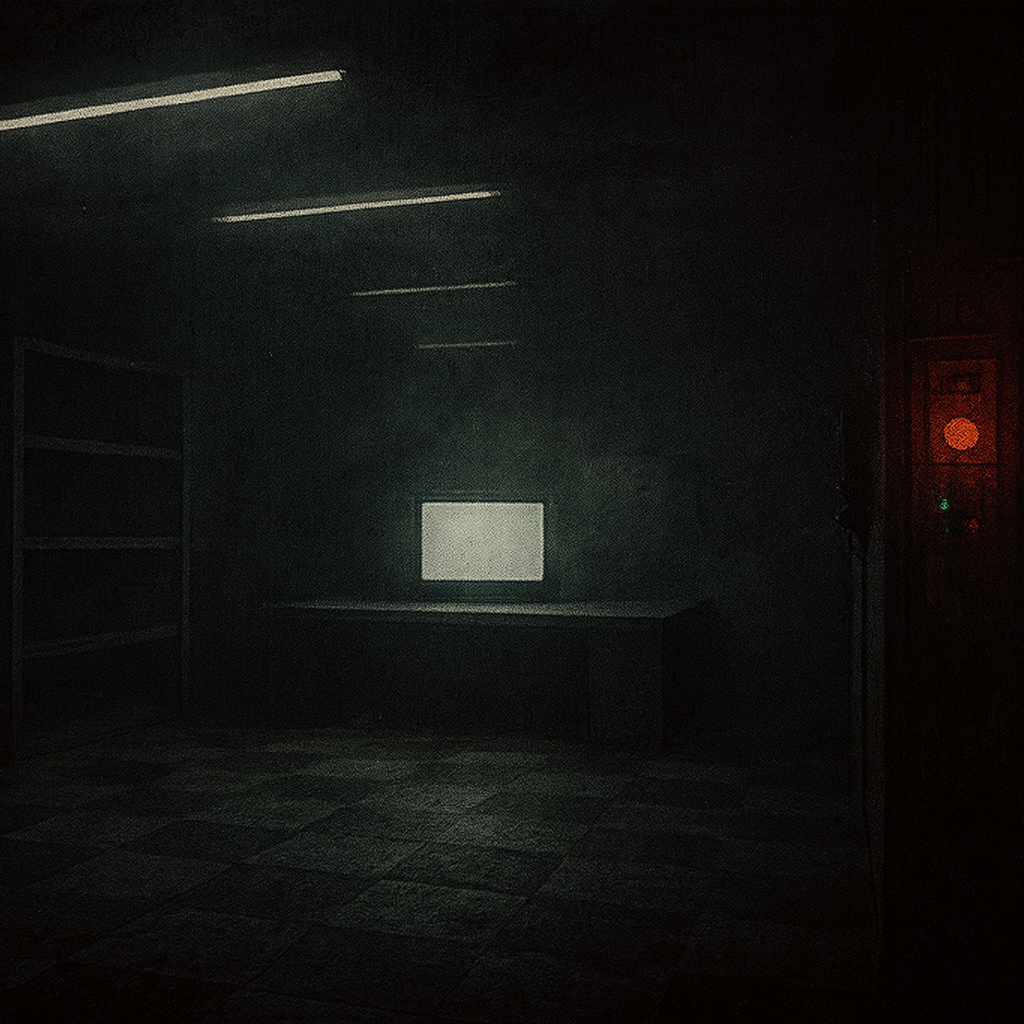
Today focused on establishing the lighting atmosphere across all rooms, refining the project’s lighting setup, and beginning implementation of the core interaction system for Level 1. Major work went into removing unneeded sky systems, adding proper interior lighting actors, developing a flickering light Blueprint for mood, improving emissive materials, and building emergency lights and readability lighting. Progress continued with creating the foundation for the global interaction framework, including line traces, interaction channels, interface setup, and test interactable objects. By the end of the day, the core lighting mood for Level 1 was established, and a functional interaction loop—LookAt and Interact—with a working test object is now in place.
What I Worked on Today
Lighting Setup & Scene Preparation
- Added ceilings to all rooms.
- Updated the GDD and LDD with more refined lighting details.
- Removed Ultra Dynamic Sky (not needed for this project).
- Added Directional Light, Exponential Height Fog, Sky Atmosphere, Skylight, and a global Post Process Volume to help create the atmosphere for the levels.

Flicker Blueprint & Emissive Material Work
- Created a basic light flicker Blueprint to set the mood during blockout.
- Added a Rect Light to the Blueprint.
- Built a 0.5-second looping timeline with five varying values.
- Hooked the timeline to Event Begin Play; On Update modifies the light intensity.
- Added randomization to the flicker using random play rate and random starting time.
- Added emissive materials to monitors.
- Duplicated M_SimpleGlow, stripped it down, and recreated a simple glow material using a 4-vector and scalar multiplier as adjustable parameters.
- Temporarily hid labels to better evaluate atmosphere.


Room Lighting Pass & Emergency Lights
- Added spotlight above the workbench.
- Added point light above the locker.
- Built a simple emergency light Blueprint using a cylinder mesh, glow material, and point light.
- Made emissive and light color instance-editable.
- Added a similar exit light.
- Added light to the fuse panel.
- Added instance parameters for light and emissive intensity.
- Added three lights to the power panel—each tied to one of the three systems required to power on. When all activate, the panel becomes the brightest element and illuminates the exit door.
- Added lights to the camera, alarm, and door components.
- Scaled down the emergency light size.


Final Lighting Mood Pass
- Adjusted overall lighting to improve readability.
- Refined monitor lighting to match the room’s mood.
- Improved ceiling lighting.
- Added emissive neon-like cylinders for more realistic lights.
- Adjusted Rect Light size for more realistic neon tube behavior.
- Completed a final mood pass: Level 1’s lighting atmosphere is now defined well enough for future work.

Interaction System – Line Trace Foundation
- Started building the interaction system for Level 1.
- Established the global interaction logic.
- Added a simple line trace inside the First Person Character Blueprint.
- Line trace prints the hit object for debugging.
- Added a custom Interact trace channel (currently all objects block it—needs refinement).
- Added a Branch after the line trace to check for a valid hit before printing.


Interaction System – Interface & Test Object
- Created a Blueprint Interface with LookAt and InteractWith functions.
- LookAt outputs: Verb (text) and Noun (text) to describe what the player sees and what they can do.
- InteractWith takes an Object reference to the First Person Character.
- Must assign the interface to interactable objects in Class Settings.
- Created BP_PickUpItem for testing.
- LookAt outputs: “Touch Object.”
- InteractWith triggers a simple MoveForward event on the object.


Interaction System – LookAt Feedback & Debug Replacement
- Replaced debug Print Strings with custom LookAt information.
- Checked intractability using “Does Object Implement Interface” on the line trace hit actor.
- Initially forgot to connect interface used into the “Does Object Implement Interface” node—fixed after debugging.
- Called LookAt function to retrieve verb and noun.
- Used a Format Text node (“{0} {1}”) to display LookAt output.
- Corrected verb/noun inversion in the format node.
- Looking at interactables now displays correct Verb + Noun information.

Interaction Inputs & Activation
- Added IA_Interact input action (boolean).
- Added IA_Interact to the Input Mapping Context.
- Bound keyboard E and controller face button right.
- Implemented IA_Interact inside the First Person Character Blueprint.
- On Started: sends InteractWith message to the object.
- Stored hit actor in LookAtActor variable to use as the target for interaction.
- Added Branches to clear LookAtActor when not looking at an interactable, preventing stale references.
- Added validated gets before calling InteractWith.
- Result:
- Looking at the test interactable shows “Touch Object.”
- Pressing E triggers its movement interaction successfully.


Technical Notes
- Random play rate and start time create more natural flicker patterns.
- Glow material parameters allow quick tuning for mood and readability.
- Rect Lights produce strong atmospheric lighting for moody industrial scenes.
- Misassigned interface settings break the entire interaction pipeline—double-check values in nodes.
- Validated node use prevents null reference issues during interaction checks.
Challenges & Lessons Learned
- Interface was not assigned initially, causing LookAt and InteractWith to fail.
- Verb and noun values were swapped during formatting and required correction.
- Atmospheric lighting requires iterative adjustments to avoid overly dark or unreadable spaces.
- Ensuring LookAtActor resets properly prevents accidental interaction with non-visible objects.
Next Steps
- Begin implementing actual interactable objects for Level 1 (fuse panel, power panel, workbench items).
- Replace debug Print Strings with proper on-screen interaction UI.
- Extend lighting and flicker systems into Levels 2 and 3 for consistent atmospheric tone.