
Dev log – Day 15
Summary
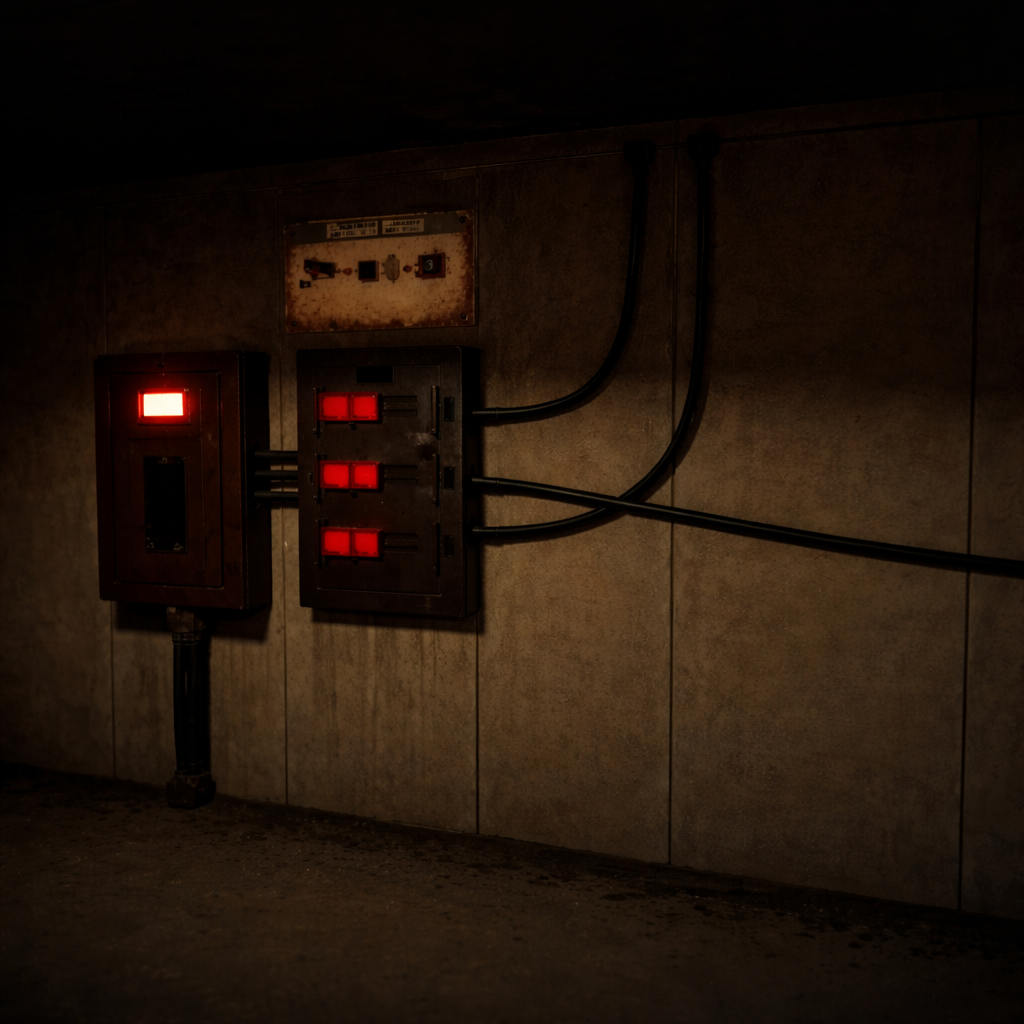
Today was a focused polish and readability day across Rooms 1 and 2. I built a reusable visual wiring solution for Room 1 (iterating through a custom spline-mesh approach before switching to Unreal’s Cable Actor and finally integrating a Fab cable asset for higher-fidelity results). In parallel, I completed two “final feel” passes: Room 1 received comprehensive interaction/audio feedback (switches, flicker, keypad, doors, fuse/power restore) plus voice announcements and a small door clipping fix, while Room 2 gained stronger ambient audio, clearer puzzle signaling, and improved keycard spawn presentation through better staging, lighting, and additional clue reinforcement—all without touching puzzle logic.
What I Worked on Today
Level 1 – Room 1 – Spline Wire Visual Connections
Intent
Add visual-only wiring in Room 1 by running cables from the power panel to the camera, alarm, and door power box, improving readability and final presentation.
What Actually Happened
A reusable Room 1 wire actor was built to generate cable runs along a spline, with editor-driven mesh/material control and a Construction Script rebuild flow. The spline-mesh wiring was iterated to improve deformation quality by setting segment endpoints/tangents correctly and fixing mesh orientation/pivot issues. After validating placement and behavior, the approach was shifted away from the custom spline mesh solution to Unreal’s built-in Cable Actor, and then a Fab marketplace cable asset was integrated to replace placeholder visuals.

Accomplished
- [STEP] Created BP_WireSpline_R1 actor blueprint to serve as the reusable spline-based wire visual for Room 1
- [STEP] Added Spline_Wire component to BP_WireSpline_R1 for defining wire routing paths
- [STEP] Added WireMesh, WireMaterial, and SplineMeshes variables to BP_WireSpline_R1 to support spline mesh generation and per-instance control
- [STEP] Implemented Construction Script cleanup in BP_WireSpline_R1 by destroying existing spline mesh segments and clearing the SplineMesh array before rebuild
- [STEP] Added Construction Script logic in BP_WireSpline_R1 to create and store spline mesh segments between consecutive spline points
- [STEP] Set spline mesh segment start/end positions in BP_WireSpline_R1 using Spline_Wire point i and i+1 locations so each segment spans between consecutive spline points
- [STEP] Added spline tangents in BP_WireSpline_R1 by feeding Spline_Wire point i/i+1 tangents into SetStartAndEnd for smooth wire curvature
- [FIX] Adjusted the wire static mesh pivot/orientation so the cylinder length aligns correctly with spline deformation (resolved Z-axis stretching)
- [STEP] Added SplineMeshComponent to wire actor to support mesh deformation along spline
- [STEP] Attached SplineMeshComponent to Spline_Wire to ensure correct local deformation along spline path
- [STEP] Set SplineMeshComponent Forward Axis on SM_WireSegment to match the wire mesh length for correct spline deformation
- [NOTE] Confirmed wire mesh assignment is handled via the WireMesh instance variable in Construction Script; no manual mesh assignment on SplineMeshComponent required
- [STEP] Placed BP_WireSpline_R1 in Room 1 as Wire_PowerToCamera_R1 and assigned the WireMesh instance for the power-to-camera cable run
- [FIX] Updated BP_WireSpline_R1 to drive spline mesh segments by DistanceAlongSpline (Start/End distances) instead of point indices to ensure wire mesh follows spline curvature
- [CHANGE] Replaced custom spline-based wire implementation with Unreal Engine built-in Cable Actor for wiring between power panel and connected devices
- [CHANGE] Replaced custom spline-based wire implementation with Unreal Engine built-in Cable Actor for wiring between power panel and connected devices
- [CHANGE] Integrated Fab marketplace cable asset to replace placeholder wire visuals for final wiring implementation
Why This Matters
- Improves Room 1 environmental readability by visually communicating power distribution paths (without touching gameplay logic).
- Establishes a repeatable wiring-dressing approach that can be standardized (and later swapped for higher-fidelity assets cleanly).
- Supports final polish by grounding key props (power panel / devices) with clear, believable physical connections.
Level 1 – Room 1 Audio & Interaction Polish Pass
Intent
Finalize Room 1 presentation by adding missing audio feedback, refining interaction visuals, and correcting minor mesh issues. This work must not alter gameplay logic and must keep all existing Room 1 puzzles fully functional.
What Actually Happened
Audio feedback was added across Room 1 interactions to make puzzle states and player actions feel more responsive, including switch toggles, flickering lights, fuse/power restoration, keypad inputs, and door unlock/open events. System voice announcements were implemented to reinforce the malfunction state and provide an additional warning when Room 2 is opened. The locker keypad presentation was cleaned up visually while also gaining clearer tactile input sounds. A door movement/clipping issue was addressed by adjusting the door’s relative Z position to prevent floor z-fighting during animation. Overall, this pass tightened the “final feel” of Room 1 without touching puzzle logic.


Accomplished
- [STEP] Added sound effects to power panel switch interactions to provide clear audio feedback on toggle
- [STEP] Added system failure AI voice announcement and triggered it during Room 1 security malfunction state
- [STEP] Added looping light flicker sound effect to flickering lights in Room 1 to reinforce environmental feedback
- [STEP] Added power hum sound effect that plays when the fuse is inserted to indicate power restoration in Room 1
- [POLISH] Adjusted keypad widget visuals for a cleaner and more readable final presentation
- [STEP] Added clicking sound effect to keypad input interactions to provide tactile audio feedback
- [STEP] Added fuse insertion sound effect to play when the fuse is placed into the fuse panel
- [STEP] Added fuse insertion sound effect to play when the fuse is placed into the fuse panel
- [STEP] Added door unlock and opening sound effects to play when doors successfully unlock and open
- [FIX] Adjusted door relative Z location to -218 to prevent clipping and z-fighting with the floor during door movement
- [STEP] Added a secondary system warning voice announcement that plays when Room 2 is opened

Why This Matters
- Improves readability and player confidence by giving consistent audio confirmation for critical interactions and state changes.
- Establishes a more “final” interaction feel (keypad + doors + power restoration) without risking puzzle regressions.
- Reinforces the Locked theme/tone through systemic voice warnings and environmental audio cues.
Level 2 – Room 2 Audio, Clarity & Feedback Polish Pass
Intent
Polish Room 2 by adding missing audio feedback and improving visual clarity for key interactions. Reinforce puzzle readability without changing gameplay logic.
What Actually Happened
Ambient feedback was strengthened by adding looping flicker audio for lights and a persistent server rack hum to sell the space. Puzzle readability and interaction clarity were reinforced with a beep cue tied to server rack pattern changes and distinct button-press audio on both the light pattern and word pattern consoles. The keycard spawn presentation was improved with a dedicated timeline to better stage the emergence animation, plus a focused light to keep the keycard clearly visible during the sequence. Finally, an additional visual light pattern clue was added to further support discovery and readability.

Accomplished
- [STEP] Added looping flicker sound effects to flickering lights in Room 2 to enhance ambient feedback
- [STEP] Added looping server rack hum sound effect in Room 2 to reinforce ambient machine presence
- [STEP] Added beep sound cue to server rack light pattern changes to provide clear audio feedback during the pattern sequence
- [STEP] Added button press sound effect to the light pattern console to provide audio feedback on interaction
- [STEP] Added button press sound effect to the word pattern console to provide audio feedback on interaction
- [POLISH] Added a timeline to the keycard spawn sequence to improve the animation and presentation of the keycard emerging from the panel
- [POLISH] Added a dedicated light to the keycard spawner to clearly illuminate the keycard during its spawn animation
- [POLISH] Added a visual light pattern clue to Room 2 to support player discovery and puzzle readability

Why This Matters
- Improves player readability and confidence through clearer audio/visual feedback on key interactions.
- Strengthens environmental atmosphere with consistent ambient machine presence.
- Makes the keycard moment and puzzle signaling easier to perceive without changing underlying behavior.

Technical Notes
- BP_WireSpline_R1 rebuild flow: Construction Script destroys existing spline mesh segments and clears the array before regenerating segments.
- Spline mesh deformation quality depended on correct start/end positions and tangents via
SetStartAndEnd, plus matching the SplineMeshComponent forward axis to the wire mesh length. - Wire deformation issues were tied to mesh pivot/orientation (Z-axis stretching) and were improved by driving segments by distance along the spline rather than point indices.
- Final wiring direction shifted from custom spline meshes to Unreal’s Cable Actor, then to a Fab marketplace cable asset for final visuals.
- Door floor clipping/z-fighting in Room 1 was resolved by adjusting door relative Z to -218 during movement.
Challenges & Lessons Learned
- The custom spline-mesh wire approach required multiple iterations (tangents, axis alignment, pivot/orientation fixes) to achieve acceptable deformation, and ultimately proved less practical than switching to Cable Actor + a higher-fidelity cable asset.
- Small presentation issues (like door z-fighting and keycard visibility during spawn) can noticeably reduce perceived quality; targeted fixes (relative Z adjustment, dedicated spawn lighting, staged timeline) improve clarity without affecting gameplay logic.
Next Steps
- Continue standardizing the final wiring approach using the Cable Actor + Fab cable asset for Room 1 device runs (power panel to connected devices).
- Keep validating that Room 1 and Room 2 puzzle behavior remains unchanged while polish/audio/visual feedback is added.
- Extend the same clarity-first polish mindset to any remaining interaction hotspots (prioritizing readable feedback and visibility).